Setup guide
iPhone as a webcam for Mac mini (no built-in camera)
A Mac mini comes without a camera and without a microphone. If your display has no camera either, the first video call is when you notice. The iPhone in your pocket is the easiest fix: it has a better camera than most webcams, and macOS can use it directly.
This guide sets up the iPhone as the Mac mini's webcam with Apple's Continuity Camera, sorts out the mic, and shows how to use the same setup to record videos.
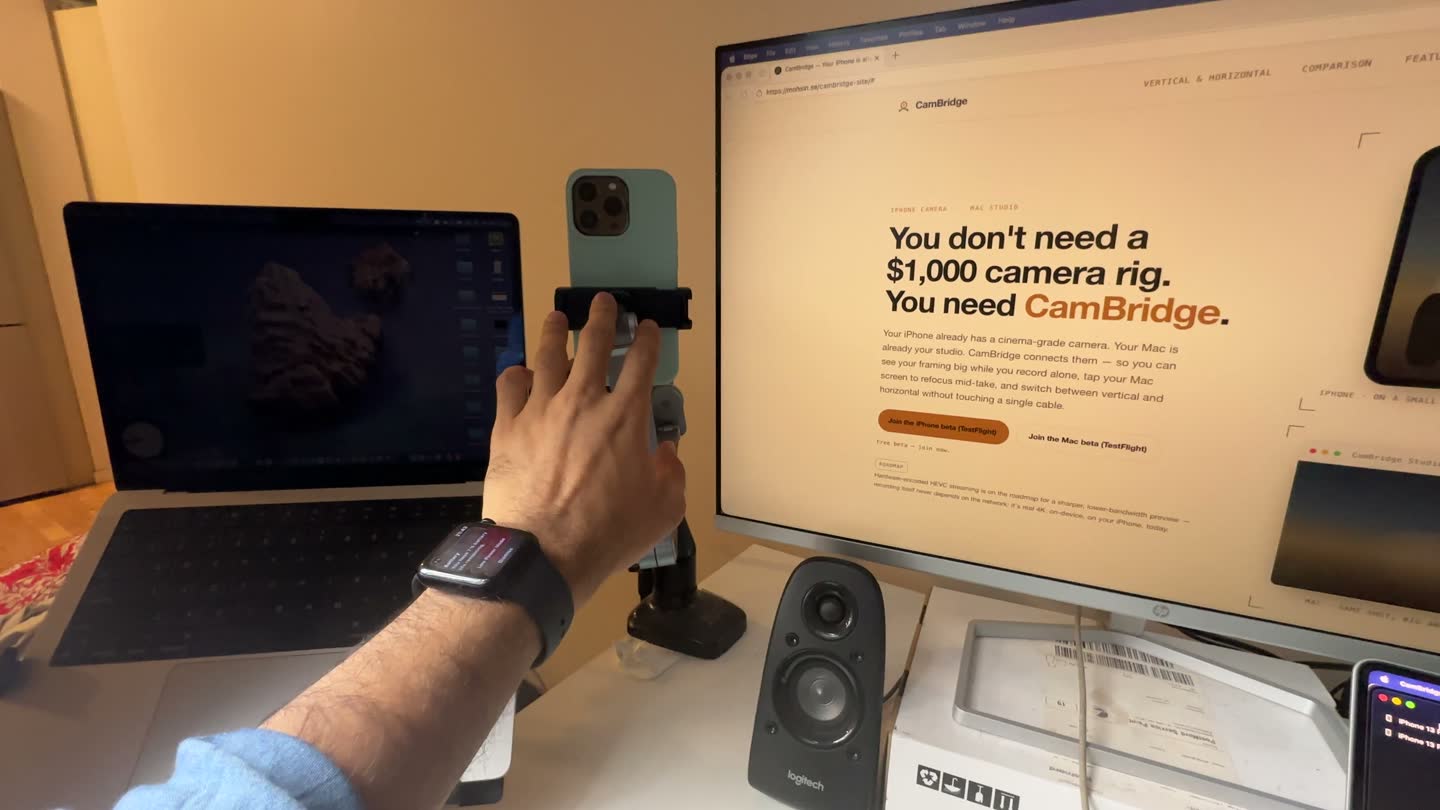
Your camera options on a Mac mini
- Your iPhone with Continuity Camera. Free and built in. Needs an iPhone XR or later.
- A USB webcam. Always connected, and the phone stays free. Usually a smaller sensor than an iPhone.
- A display with a built-in camera. Neat, but it costs a new display.
If you have a recent iPhone, start with it. You can always add a webcam later.
Set up the iPhone as the Mac mini's webcam
Requirements and steps follow Apple's help page (Apple support: Continuity Camera).
Check the requirements
Continuity Camera works with any Mac that runs macOS Ventura 13 or later, and with an iPhone XR or later on iOS 16 or later. Both must use the same Apple Account with two-factor authentication.
Mount the iPhone at your screen
Use a clamp on the monitor or a monitor arm, or a small stand. The iPhone should be near the Mac, locked, stable, with the rear cameras facing you. Landscape lets apps pick it automatically.
Connect it
Turn on Wi‑Fi and Bluetooth on both, or plug the iPhone into the Mac mini with USB. A cable keeps it charged during long calls.
Pick the iPhone camera
Open FaceTime, Zoom, Meet or your app and choose the iPhone in its camera or video menu.
Pick a microphone
A Mac mini has no built-in mic. Apps may pick the iPhone mic on their own. You can also choose it in System Settings > Sound > Input, or use a USB mic or headset.
Mounting tips for a desktop setup
- Put the lens at eye level, close to the top of the screen, so you look at the camera when you look at people.
- A monitor arm or a clamp holds the phone steady. A stack of books works too.
- Keep a USB cable in place for the iPhone. It stays charged, and the link does not depend on Wi‑Fi.
- Light from in front of you, such as a window or a lamp behind the monitor, matters more than any setting.
If the iPhone does not show up, go through Continuity Camera not working on Mac: fixes. For streaming, see the OBS guide.
Recording videos on a Mac mini with your iPhone
A webcam feed is made for calls. If you want to film yourself for YouTube, a course or a short, the iPhone can record its own 4K file while the Mac mini is your monitor and remote.
That is what CamBridge does. Open CamBridge on the iPhone and CamBridge Studio on the Mac. Studio shows the live view, you click to focus, set exposure, zoom and press Space to record, and the file copies to a folder on the Mac when you stop. A Mac mini has no mic, so you can plug a USB mic into the Mac and pick it in Studio. See the video podcast guide for that setup.
Limits to know about
Continuity Camera needs an iPhone XR or later and macOS Ventura 13 or later, and works with one iPhone at a time. CamBridge is not a webcam and does not show up in call apps. It needs iOS 17 and macOS 14 or later and is a beta.
FAQ
Does the Mac mini have a built-in camera?
No. The Mac mini has no built-in camera or microphone. You add one: a USB webcam, a display with a camera, or your iPhone with Continuity Camera.
Can I use my iPhone as a webcam on a Mac mini?
Yes. Continuity Camera works on any Mac with macOS Ventura 13 or later, including a Mac mini, with an iPhone XR or later on iOS 16 or later.
Does it work wired?
Yes. Continuity Camera works wired or wirelessly. Over USB, the iPhone must trust the Mac.
How do I get sound on a Mac mini without a mic?
Use the iPhone mic, which Continuity Camera offers as a separate input, or plug in a USB mic or headset.
Why does my Mac mini not see the iPhone?
Check the same Apple Account, Wi‑Fi and Bluetooth on, no Personal Hotspot, and that the Mac is not using AirPlay or Sidecar. Then lock and mount the iPhone, or plug it in.
Is CamBridge a webcam for the Mac mini?
No. CamBridge does not show up as a camera in call apps. It is for recording yourself with the iPhone and controlling it from the Mac.
Try it with your own iPhone and Mac
CamBridge is a free TestFlight beta. iPhone needs iOS 17 or later. Mac needs macOS 14 or later. No account, no cloud.